Our pick
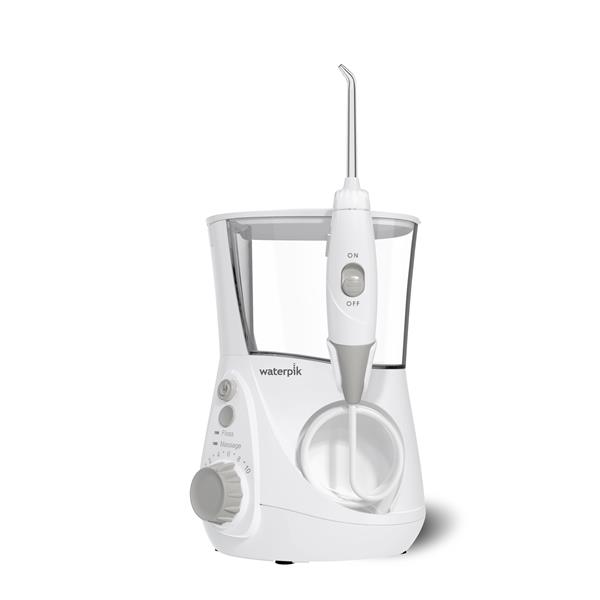
Waterpik Aquarius Water Flosser WP-660, White
WhiteOrthodontic tip included7 tips in the box10 pressure settingsADA Accepted
Check price on AmazonPrice and delivery are shown on Amazon.
Buyer question · Braces & orthodontics
As an Amazon Associate I earn from qualifying purchases.
Our pick
Price and delivery are shown on Amazon.
Short answer
Yes. Waterpik's White Aquarius Water Flosser (WP-660) comes with an Orthodontic tip (OD-100E), and Waterpik says that, used with that tip, it is clinically shown to be up to 3X as effective for removing plaque around braces vs. brushing and string floss. Waterpik says the tip's tapered brush helps remove hard-to-reach plaque around brackets and wires.
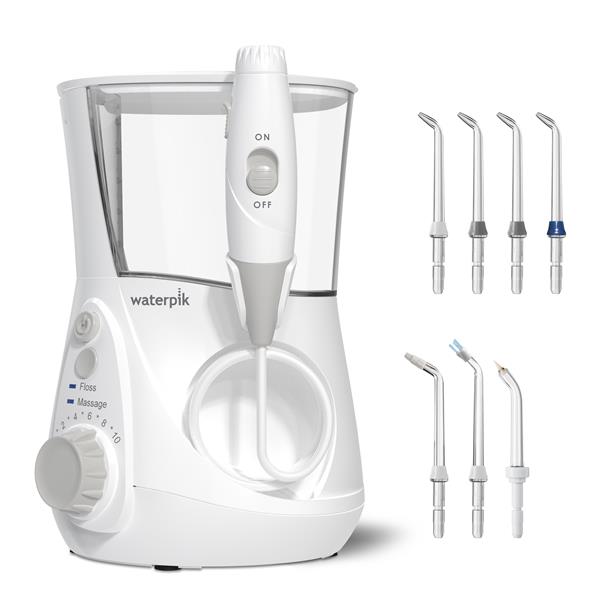
Waterpik lists one OD-100E Orthodontic Tip among the 7 tips that come with the WP-660, and the Orthodontic tip page names the Aquarius WP-660 as a compatible model.
Waterpik says the Aquarius is clinically shown to be up to 3X as effective for removing plaque around braces vs. brushing and string floss when using the Orthodontic tip.
Waterpik says the Orthodontic tip's tapered brush helps remove hard-to-reach plaque around orthodontic brackets and wires. Its braces guide says the Precision tip, which comes 4 to a box here, is also effective.
The WP-660 has 10 pressure settings. Waterpik's manual says to use the lowest setting for first-time use and increase gradually to the setting you prefer, or as your dental professional instructs.
Steps combine Waterpik's 'How to floss with braces' guide, its Orthodontic tip instructions and the WP-600 series owner's manual, in Waterpik's order.
From the maker
Do not use this product for more than 5 minutes in each two-hour period.
Do not direct water under the tongue, into the ear, nose or other delicate areas.
Do not use if you have an open wound on your tongue or in your mouth.
Remove any oral jewelry prior to use of this product.
Children should be supervised to ensure that they do not play with the appliance.
Waterpik's braces guide says that for best results you use a Waterpik water flosser with the Orthodontic tip, and that the Precision tip is also effective. The WP-660 comes with both.
Waterpik's manual says to use the lowest setting (No. 1) for first-time use, then gradually increase to the setting you prefer or as your dental professional instructs.
Waterpik lists the Orthodontic tip's replacement interval as every 3 months.
Waterpik says the Aquarius water flosser is accepted by the American Dental Association (ADA) for safety and effectiveness.
Waterpik lists the reservoir as 22 oz (651 ml), and its spec table lists a capacity of 90 seconds.
Waterpik's manual says the reservoir is removable for easy cleaning and is top rack dishwasher safe.
Yes: the WP-660 ships with Waterpik's Orthodontic tip, which Waterpik makes for brackets and wires, and Waterpik ties its braces plaque claim to that tip. Start at the lowest of its 10 settings and follow Waterpik's braces technique.
Check price on AmazonSmoov Discovery wrote this page from the maker's own product information and retailer copy, listed below. We did not test the product ourselves. Nothing here comes from Amazon.
Photos: Waterpik (waterpik.com).
As an Amazon Associate, Smoov Discovery earns a commission on qualifying purchases made through the links on this page. Amazon pays the commission; it does not change the price you pay.
This page is published by Smoov Discovery and is promotional content for the Amazon listing it links to.